
Are You Over-Editing Your YouTube Videos?

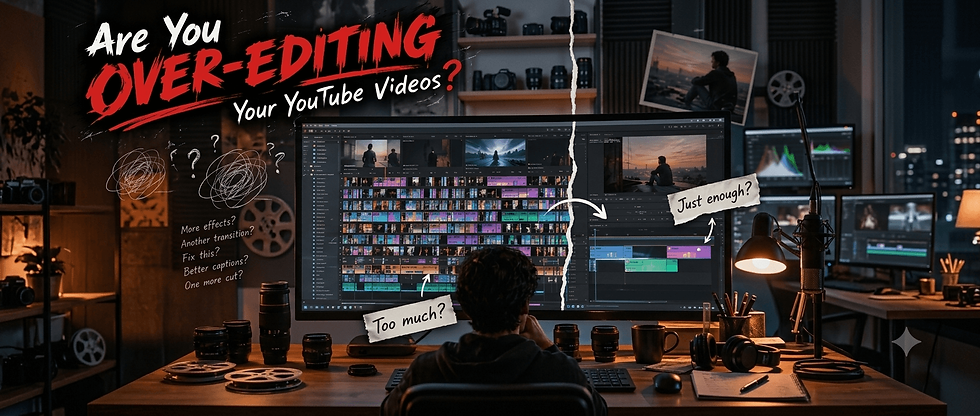
When does editing improve a video, and when does it simply take more time?
Editing can make a YouTube video clearer, faster, and more enjoyable. But it can also become the part of the workflow that takes up most of a creator's time.
I’ve noticed this while working with video content myself. You finish the main edit, then start making small changes: adjusting captions, changing transitions, moving visuals, fixing tiny cuts. Each change seems reasonable on its own, but together they can add hours.
So I looked at recent discussions from YouTube creators to understand whether this is a common problem and, more importantly, how creators decide when a video is actually finished.
What We Found From Creator Discussions
The research showed that editing time is a genuine problem for some creators.
In recent r/NewTubers discussions, creators described:
Spending several hours editing a single video.
Taking days to finish one upload.
In some cases, spending around 1–2 hours editing for every finished minute.
Delaying uploads because editing became too demanding.
Struggling to balance quality with a consistent publishing schedule.
Another creator described editing as so draining that a video could take weeks to complete. These aren't universal numbers. Editing time depends on content type, experience, tools, and editing style.
But the discussions point to a clear problem:
For some creators, editing is becoming a bottleneck for the entire content workflow.
And that raises a better question than “How can I edit faster?”
More Editing Doesn't Automatically Mean a Better Video
It's easy to assume that more cuts, effects, captions, and transitions will make a video more engaging.
Sometimes they do. But editing should solve a problem, not exist simply because there's space in the timeline.
Editing decision | Usually useful when | May not be worth it when |
Cutting a section | It removes repetition or unnecessary information | You're removing natural pauses that help the explanation |
Adding captions | They improve accessibility or emphasize important information | Every sentence gets unnecessary animation |
Adding visuals | They help explain or support the topic | They're added only to keep the screen constantly changing |
Adding transitions | They help separate major sections | Every small cut gets a transition |
Adding effects | They support the tone or story | They distract from what is being said |
Polishing details | They noticeably improve the viewer experience | You're spending a long time fixing something most viewers won't notice |
The point isn't that simple editing is always better, but it is that every editing decision should have a reason.
What I’ve Learned From My Own Editing
I used to keep editing because there was always something I could improve: captions, cuts, transitions, visuals, or timing.
That created a loop: Edit → Watch → Notice → Fix → Watch again.
Now I ask myself:
“Will the viewer actually notice or benefit from this change?”
If yes, I make the edit. If it only makes the video slightly better to me, I usually move on.
The goal isn't to make every detail perfect. It's to make the video better where it actually matters.
When Editing Starts Taking Too Much Time
The problem with over-editing isn't just the extra hours spent on one video. Those hours come from somewhere.
If you spend six extra hours polishing one upload, you could have used that time to:
Research your next topic
Write another script
Create a thumbnail
Review analytics
Plan your next video
Take a proper break
For creators trying to publish consistently, this can turn editing into a bottleneck. One practical solution is to make the editing process more repeatable instead of rebuilding everything from scratch.
For example:
Keep consistent caption styles
Save commonly used effects and transitions
Create reusable project templates
Set standard audio levels
Use keyboard shortcuts
Reuse structures that already work
The goal isn't to make every video identical. It's to spend less time on repetitive decisions and more time on the parts that actually improve the content.
How to Know When Your Video Is Edited Enough
No fixed number of hours tells you when an edit is finished. Instead, check whether the video has solved the problems that actually affect the viewer.
Before exporting, ask:
Ask yourself | If yes... |
Is the main idea clear? | Stop changing the structure. |
Is the pacing comfortable? | Don't add cuts just to make it faster. |
Are unnecessary parts removed? | You don't need to keep cutting. |
Do the visuals support the content? | Avoid adding effects just to fill space. |
Is the audio clear? | Stop chasing tiny adjustments. |
Is anything distracting? | Fix that before minor details. |
Am I fixing a real problem? | Make the edit. |
Am I just chasing perfection? | Consider moving on. |
A video can be finished without being perfect.
Your Editing Style Should Match Your Content
Not every video needs the same editing approach. The right amount of editing depends on what you're trying to communicate.
Content type | Editing priority |
Tutorial | Clarity and useful visuals |
Commentary | Natural pacing |
Educational | Structure and explanation |
Entertainment | Timing and visual energy |
Storytelling | Flow and emotional pacing |
The goal isn't to make every video heavily edited. It's to make the editing fit the content.
So, Are You Over-Editing?
Maybe. But the real question isn't how many hours you spend editing. It's whether those hours are making the video meaningfully better.
Before making another change, ask:
Does this improve clarity?
Does it improve pacing?
Does it make the video easier or more enjoyable to watch?
Would the viewer actually notice the difference?
If the answer is yes, make the edit. If you're repeatedly adjusting tiny details that don't change the viewing experience, it's probably time to stop.
For me, the bigger lesson is that editing quality isn't measured by how much work goes into a video. It's measured by what that work improves.
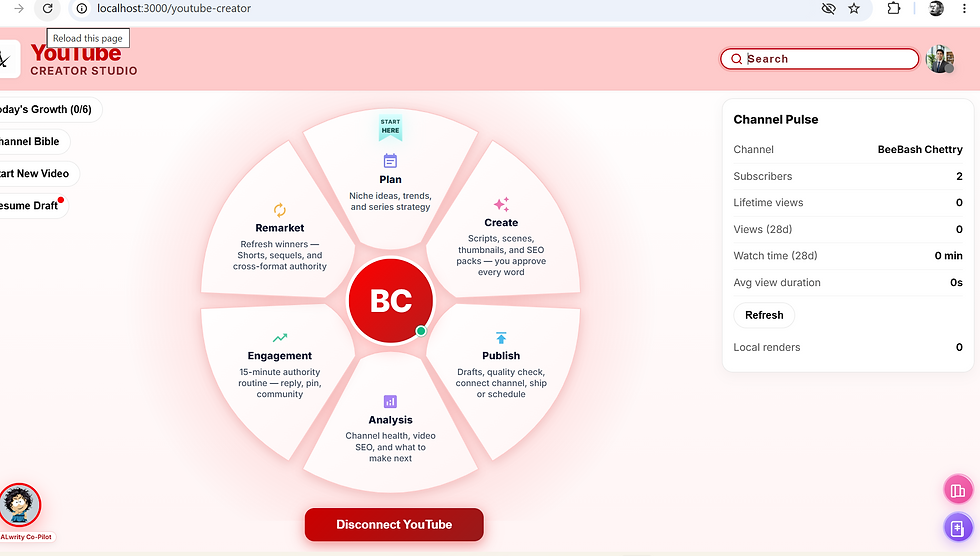
This is also why I've been testing ALwrity's YouTube Creator Studio. A creator's time isn't spent only on editing; research, planning, scripting, optimization, publishing, and analysis all compete for that same time. A workflow that reduces unnecessary work across those stages can leave more room for the creative decisions that actually matter.
You don't need a perfect video. You need a video that's clear, useful, and worth watching—and then you need to move on to the next one.
Spend Less Time Over-Editing
If you're tired of spending hours polishing details that barely change the final video, ALwrity YouTube Creator Studio can help you spend more time on creating and less time getting stuck in the process.
Create with purpose. Edit what matters. Keep creating with ALwrity


Comments