
From Idea to Script: What I Learned Using an AI YouTube Creator

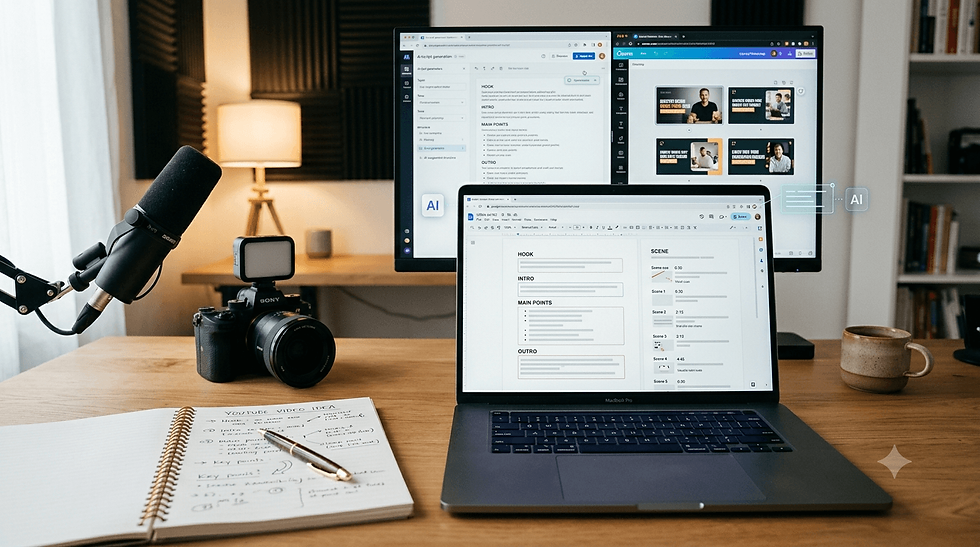
Coming up with a YouTube video idea is one thing. Turning that idea into something structured enough to actually create is another.
While testing an AI YouTube Creator, I decided to start with a simple idea: food spots in Seoul. I wanted to see how the tool could help take that basic idea and turn it into a more structured video plan and eventually a script.
As I moved through the process, I realized that using AI for YouTube creation still involves quite a few decisions from the creator. I had to think about what the channel was about, how I wanted the video to be framed, what type of content I was creating, and how those choices would shape the script.
Even just going from a simple idea to a structured script showed me where AI can make YouTube planning easier—and where the creator’s own choices still matter.
Giving the AI YouTube Creator More Channel Context
The next part of the process was setting up the Channel Bible. This is where I could give the AI more context about the channel instead of explaining everything again while creating each video.
While filling it out, one thing that made me stop for a moment was the “Channel Topic” field. My first thought was that a YouTube channel normally has a name, not a “topic,” so it took me a little time to understand exactly what I was supposed to enter. Once I connected it with the niche and what the channel would actually be about, the purpose became clearer.
It was a small detail, but it reminded me how much wording matters when using an AI tool. Something as simple as “What’s your channel about?” or " Your Channel Niche" can sometimes be easier to understand than a more technical label.
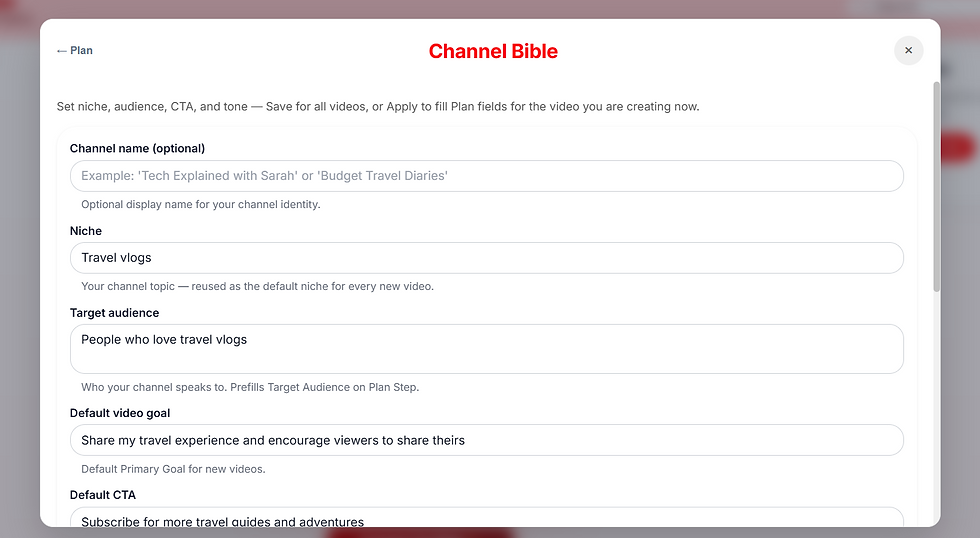
The Channel Bible itself also made me think differently about AI-assisted content creation. The better the context I could provide about the channel and its direction, the less I had to start from scratch when moving towards an individual video idea.
Choosing a Creative Strategy for My AI YouTube Video
Once the basic channel context was in place, the next decision was about the creative strategy angle — basically, how I wanted the video idea to be presented.
This part made me think more than I expected. I already knew my topic was food spots in Seoul, but the topic alone didn’t decide what kind of video it would become. The same idea could be approached through storytelling, made more humorous, or given a completely different direction.
There was also a Custom option, which I liked because it gave me the freedom to choose an approach outside the predefined choices.

At the same time, I initially wasn’t completely sure what I was expected to enter as the creative strategy angle. That made me realize that when an AI tool asks users to make creative decisions, a little context or an example can make the choice much easier.
This step also showed me something important: AI can help build the content, but the creator still needs to decide how they want their idea to come across. The tool can work with the direction you give it, but choosing that direction is still a creative decision.
Setting the Visual Direction in the AI YouTube Creator
After choosing the video category, I moved on to some finer details about the video, including the target audience, primary goal, brand aesthetic, and visual style.
One part that particularly caught my attention was the Visual Style Guide. Here, I could describe the kind of visual direction I wanted using text. For my video, the direction was something like bright, cinematic and adventurous, with scenic travel shots and minimal text.

While using it, though, I found myself wishing this step was a little more visual.
Since I was choosing how I wanted my video to look, seeing a few visual style options or reference examples would have made the decision easier for me. For example, I could look at different aesthetics, select the one closest to what I had in mind, and then customize it further if needed.
Text prompting still gives creators flexibility, but when the decision itself is visual, having something visual to choose from can make it easier to understand what you're asking the AI to create.
For me, this was another example of how AI tools can give creators plenty of control while still making some of those creative decisions easier to make.
Turning My Video Idea Into a Full Script With an AI YouTube Creator
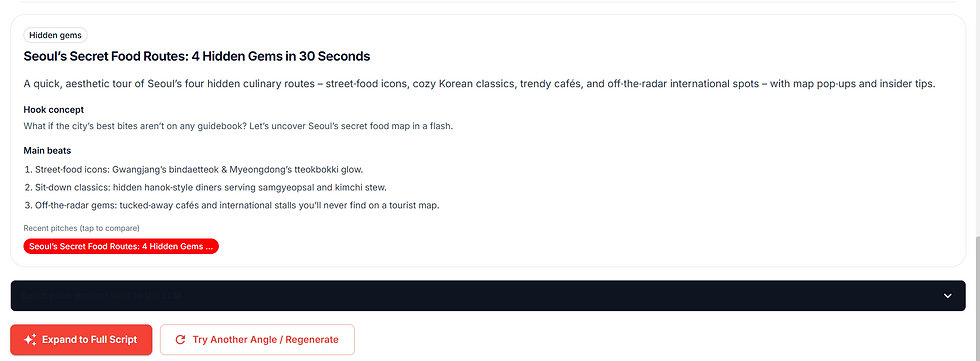
After setting the direction for the video, the AI YouTube Creator generated a pitch for my idea. My simple food spots in Seoul concept had now turned into “Seoul’s Secret Food Routes: 4 Hidden Gems in 30 Seconds.”
The pitch included a hook concept and the main points the video could cover. From here, I had the option to try another angle or “Expand to Full Script.” I chose to expand it because I wanted to see how the initial idea would actually translate into a complete video script.
This was one of the more interesting parts of the test for me because the result wasn’t just one long block of AI-generated text.
The script was divided into different beats, with details such as the spoken lines, estimated duration, suggested visuals, context and framing ideas. I could see how the opening hook would work, what would happen during different parts of the video and how the content would eventually lead to the CTA.
For a short 30-second video, having this structure made it much easier for me to imagine how the written idea could actually turn into different scenes.
How the AI YouTube Creator Added SEO, Timing and Research
Along with the script, I also found additional information about SEO, video timing and research.
The plan showed suggested SEO keywords related to the topic, along with the video title and duration details. I could also see how the overall 30 seconds were being divided between the hook, main content and CTA.

Another part I found useful was the Research section. Instead of only seeing the final AI-generated plan, I could also see the sources that had been used during the research process.

While going through them, however, I noticed that some of the source excerpts were cut off in the middle of a sentence. This made parts of the research slightly difficult to understand at a glance. I think showing a complete short excerpt, or clearly using an ellipsis when text has intentionally been shortened, would make this section easier to follow.
By this point, what started as a broad idea about food spots in Seoul had become a much more detailed plan with a title, hook, script, visual suggestions, timing, SEO keywords and supporting research.
Moving From Script to Scenes in the AI YouTube Creator
Once I had reviewed the complete script and video plan, the next step was “Build Scenes from Plan.” This was where the structured plan would start moving towards individual scenes for the video.
I clicked Build Scenes from Plan to continue the creation process. However, I wasn’t able to explore this stage further due to a technical issue during my testing.
So, I kept this test focused on the part of the workflow I was able to experience completely — taking a simple video idea and developing it into a structured script and video plan.
What I Learned From Testing an AI YouTube Creator
After going through the process myself, I realized that using an AI YouTube Creator isn’t simply about entering a topic and getting a finished script.
I started with just “food spots in Seoul,” but along the way I still had to make decisions about the channel context, creative strategy, video category, target audience, goal and visual direction. Each of these choices gradually gave the original idea more structure.
What I particularly liked was the amount of control I still had as a creator. Custom options gave me flexibility when the predefined choices didn’t match what I had in mind, while the generated plan brought the script, visual suggestions, timing, SEO and research together in one place.
At the same time, testing the tool also showed me how much small UX details matter in an AI workflow. Clearer wording can make inputs easier to understand, visual examples could make choosing an aesthetic more intuitive, and complete research excerpts could make the supporting information easier to follow.
My biggest takeaway was that AI can help with the heavy lifting of organizing an idea, but the
creator still shapes its direction. I wasn’t just waiting for AI to decide everything for me — my choices throughout the process influenced what that initial idea eventually became.
My Final Takeaway From Testing an AI YouTube Creator
My testing covered the journey from a basic idea to a structured script and video plan. I wasn’t able to explore the final scene and video-generation stages during this test, so I’ve kept my observations limited to what I actually experienced. Even within that journey, though, I could see how an AI YouTube Creator can help turn a rough idea into something much more structured without taking the creator out of the decision-making process.
What would you want AI to help with most?
💡 Video ideas
📝 Script writing
🎬 Scene planning
🔍 SEO & research


Comments