
How to Write an SEO-Optimized Blog (Step-by-Step Guide)

You write a blog, hit publish and think the hard part is done. But days pass and hardly anyone finds it. That's because blog was never written to be found by Google in the first place. This guide shows you how to structure , write and optimize a blog so Google and real readers can actually find it.
Table of content:
What Is an SEO-Optimized Blog?
Why Most Blogs Don't Rank on Google
Step 1: Find the Right Keyword
Step 2: Understand Search Intent
Step 3: Write a Title That Gets Clicks
Step 4: Structure Your Blog for SEO & Readability
Step 5: Optimize Your Blog Before You Hit Publish
Common SEO Mistakes to Avoid
FAQs
Conclusion
What Is an SEO-Optimized Blog?
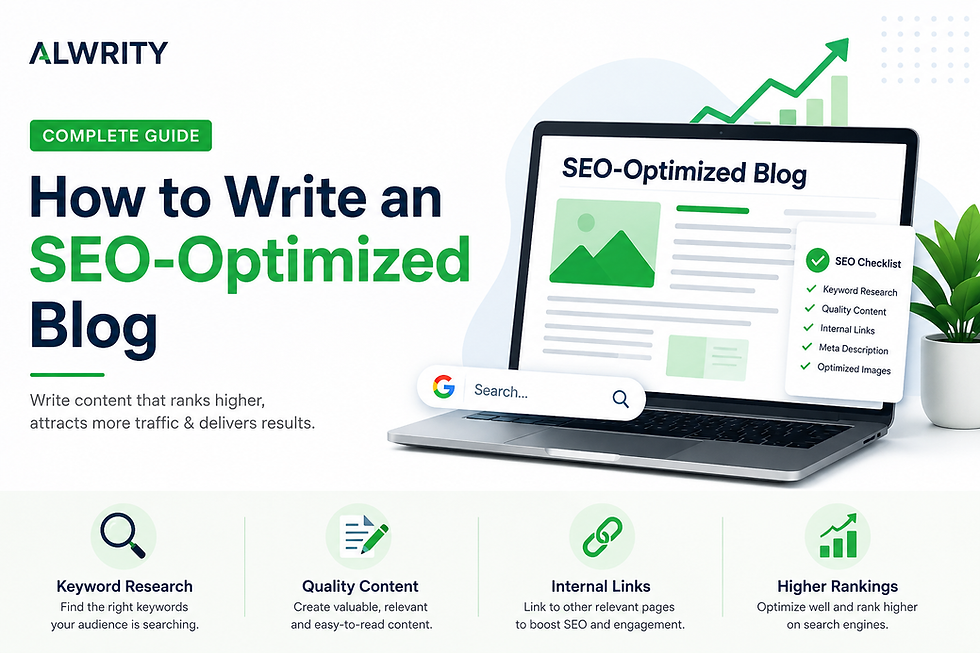
An SEO-optimized blog is simply a blog that's written in a way that makes it easier for Google to understand and show to people searching for that topic.
Unlike a regular blog, an SEO-friendly blog is created around what people are actually searching for. It answers their questions clearly while following SEO best practices that help search engines understand and rank the content.
An SEO-Optimized Blog Usually Includes:
Relevant keywords used naturally throughout the content
A clear and click-worthy SEO title
An engaging meta description
Proper heading structure (H1, H2, and H3)
Internal and external links
Optimized images with descriptive alt text
A short, SEO-friendly URL
Helpful, valuable, and easy-to-read content
The goal is simple: create content that provides value to readers while making it easy for Google to understand and rank your page.
Why SEO Matters
Publishing a blog doesn't guarantee that people will find it. Every day, millions of people search Google for answers, products, and solutions. If your content isn't optimized for search engines, it's much less likely to appear in those search results.
An SEO-optimized blog helps you:
Increase organic traffic
Improve your search rankings
Reach the right audience
Build long-term website authority
Generate consistent traffic over time
Remember: Great content keeps readers engaged, but SEO helps people discover it in the first place.
2. Why Most Blogs Don't Rank on Google
Writing a blog is only the first step. The real challenge is making sure people can actually find it. Many blogs fail to rank—not because the content is poor, but because they overlook a few essential SEO practices.
Here are some of the most common reasons:
No Keyword Research
Many writers choose a topic based on what they want to write instead of what people are actually searching for. Without keyword research, your blog may target a topic with little or no search demand.
Ignoring Search Intent
People search Google because they're looking for specific answers. If your content doesn't match what users expect, they're likely to leave your page quickly, signaling to Google that your content isn't the best result.
Weak Titles and Meta Descriptions
Your title and meta description are the first things users see in search results. If they aren't clear or compelling, people may skip your blog—even if it ranks well.
Poor Content Structure
Large blocks of text can overwhelm readers. Using headings, short paragraphs, bullet points, and visuals makes your content easier to read while helping Google understand your content.
Missing On-Page SEO
Simple things like image alt text, internal links, descriptive URLs, and optimized metadata are often overlooked, but they all contribute to better rankings.
Publishing and Forgetting
SEO doesn't end after you click Publish. Regularly updating your content, monitoring performance in Google Search Console, and improving older posts can significantly increase rankings over time.
3. Step 1: Find the Right Keyword
Every successful SEO blog starts with the right keyword. Keyword is the word or phrase people type into Google when they're looking for information. If your blog isn't targeting something people are actually searching for, it becomes much harder to attract organic traffic.
How to find the right keyword
You don't need expensive tools to get started. Here are a few simple ways to discover keyword ideas:
Use Google Autocomplete: Start typing your topic into Google and note the suggestions. These are real searches from users.
Explore "People Also Ask": This section reveals common questions related to your topic.
Analyze top-ranking pages: Search your target keyword and study the first-page results. Look at the headings, content structure, and the questions they answer.
Focus on long-tail keywords: Longer, more specific keywords often have lower competition and attract highly targeted visitors.
For example:
Broad Keyword | Better Long-Tail Keyword |
SEO | How to Write an SEO-Optimized Blog |
Blogging | Blogging Tips for Beginners |
Content Marketing | Content Marketing Strategy for Small Businesses |
Long-tail keywords usually have lower competition and higher intent, making them easier to rank for.
Use Google Search Console to Find Hidden Opportunities
If your website already has some traffic, Google Search Console (GSC) is one of the best sources for keyword ideas. It shows:
The keywords your pages already rank for
Your average position in search results
Click-through rate (CTR)
Search impressions
You may discover keywords where you're already ranking on page two or three. Updating an existing blog around those keywords is often easier than creating brand-new content.
Save Time with ALwrity
Instead of manually researching keywords across multiple tools, ALwrity helps you discover keyword opportunities using Google Search Console data. It can identify content gaps, suggest relevant topics, and generate SEO-friendly blog ideas based on real search performace.
Remember: Choose one primary keyword for your blog and naturally include related keywords throughout your content. Avoid keyword stuffing—it hurts readability and can negatively impact rankings.
4. Step 2: Understand Search Intent
Finding the right keyword is only half the job. You also need to understand why someone is searching for it. This is known as search intent.
For example, someone searching for "How to Write an SEO-Optimized Blog" is looking for a practical guide—not a history lesson about SEO. If your content doesn't match the user's expectations, they'll quickly leave your page, increasing your bounce rate and reducing your chances of ranking well.
The Four Types of Search Intent
Informational
The user wants to learn something.
Examples:
What is SEO?
How to optimize a blog
SEO tips for beginners
Navigational
The user is trying to reach a specific website.
Examples:
ALwrity
Google Search Console
Google Analytics
Commercial
The user is comparing products or services before making a decision.
Examples:
Best AI writing tools
Download a SEO checklist
Best SEO software
Transactional
The user is ready to take action.
Examples:
Buy SEO software
Sign up for ALwrity
Download SEO checklist
Match Your Content to the User's Goal
Before writing, ask yourself:
What problem is the reader trying to solve?
What information are they expecting?
Does my content answer their question better than competing articles?
When your blog aligns with search intent, readers spend more time on your page, engage with your content, and are more likely to trust your recommendations.
Key Takeaway: Google doesn't rank pages simply because they contain keywords—it ranks pages that best satisfy the user's search intent.
5. Step 3: Write a Title That Gets Clicks
Your title is one of the most important parts of your blog. Even if your article ranks on the first page, people won't click on it if the title doesn't capture their attention. A strong title clearly tells readers what they'll learn while encouraging them to click.
Tips for Writing Better Blog Titles
Place your primary keyword near the beginning.
Keep the title under 60 characters whenever possible.
Be clear and specific.
Promise a benefit or solution.
Use numbers or phrases like Step-by-Step Guide, Checklist, or Beginner's Guide when appropriate.
Examples
How to Write an SEO-Optimized Blog (Step-by-Step Guide)
7 SEO Blog Writing Tips to Rank Higher on Google
SEO Blog Writing Checklist for Beginners
Avoid Titles Like
SEO Tips
Blogging Guide
Learn SEO
These titles are too broad and don't clearly communicate what readers will gain.
Write a Meta Description That Encourages Clicks
Your meta description appears below your page title in Google search results. While it isn't a direct ranking factor, it can improve your click-through rate (CTR).
A good meta description should:
Be around 150–160 characters
Include your primary keyword naturally
Explain what readers will learn
Encourage users to click
Example:
Learn how to write an SEO-optimized blog with keyword research, search intent, on-page SEO, and proven tips to improve rankings and organic traffic.
Generate Better Titles Faster with ALwrity
If you're unsure which title will perform best, ALwrity's AI Blog Title Generator can generate multiple SEO-friendly title ideas and optimized meta descriptions based on your target keyword, helping you improve CTR before your blog even goes live.
6. Step 4: Structure Your Blog for SEO & Readability
A well-structured blog is easier for both readers and search engines to understand. It also keeps visitors engaged and improves your chances of ranking.
Follow these simple tips:
Use one H1 for your title and H2/H3 headings to organize your content.
Keep paragraphs short (2–4 sentences).
Use bullet points and numbered lists to improve readability.
Add relevant images with descriptive alt text.
Include internal links to related blogs and external links to trusted sources.
A simple structure makes your blog easier to scan and helps readers quickly find the information they need.
Key Takeaway: Planning your blog becomes much easier when you start with a clear outline. You can use ALwrity's Blog Outline Generator to organize your ideas into a logical structure before you begin writing.
7. Step 5: Optimize Your Blog Before You Hit Publish
Before you publish your blog, take a few minutes to optimize it. Small SEO improvements can make a big difference in your rankings and click-through rate.
Pre-Publish SEO Checklist
Write a compelling meta title and meta description.
Use a short, keyword-rich URL slug.
Add descriptive alt text to all images.
Include internal links to related blog posts.
Add at least one external link to a trusted source.
Check your content for grammar, readability, and mobile-friendliness.
These simple steps help search engines understand your content and improve the overall user experience. If you want to save time, ALwrity's AI Meta Description Generator can help generate SEO-friendly meta descriptions, optimize your content, and streamline your publishing workflow.
8. Common SEO Mistakes to Avoid
Even great content can struggle to rank if you make common SEO mistakes. Avoid these to improve your blog's performance:
Skipping keyword research – Write about topics people are actually searching for.
Keyword stuffing – Use keywords naturally instead of repeating them excessively.
Ignoring search intent – Make sure your content answers the user's question.
Missing meta titles and descriptions – They help improve your click-through rate.
Using long or unclear URLs – Keep your URL short and descriptive.
Not adding internal links – Connect readers to related content on your website.
Forgetting image alt text – It helps with accessibility and image SEO.
Publishing and forgetting – Regularly update your blog using insights from Google Search Console.
Key Takeaway: SEO is an ongoing process. Review your content regularly and make improvements based on performance.
9. FAQs
What is an SEO-optimized blog?
An SEO-optimized blog is a blog post that's written to help search engines understand your content while providing useful information to readers. It includes keyword optimization, clear headings, internal links, and other SEO best practices.
How long should an SEO blog be?
There's no fixed length. Your blog should be long enough to answer the user's query completely. For most topics, 1,500–2,500 words works well.
How many keywords should I use?
Focus on one primary keyword and naturally include related keywords throughout your content. Avoid keyword stuffing.
Can AI-generated content rank on Google?
Yes. AI-generated content can rank if it's accurate, helpful, original, and provides value to readers. Always review and edit AI-generated content before publishing.
How often should I update my blog?
Review important blog posts every 6–12 months to update information, improve SEO, and maintain rankings.
10. Conclusion
Writing an SEO-optimized blog isn't just about adding keywords—it's about creating content that people want to read and search engines can easily understand. To recap:
Research the right keyword.
Understand your audience's search intent.
Write a compelling title.
Structure your content for readability.
Optimize every element before publishing.
Avoid common SEO mistakes and update your content regularly.
SEO takes time, but every optimized blog is an opportunity to attract more organic traffic and build long-term authority. If you want to create SEO-friendly content faster, explore ALwrity's AI writing tools to generate blog outlines, titles, meta descriptions, and more..
Start creating SEO-optimized blogs with ALwrity and turn your ideas into content that ranks.
Final CTA
Ready to Write Blogs That Rank?
Stop guessing what to write next. Try ALwrity for free to discover keyword opportunities, create SEO-friendly content, and optimize your blogs for better rankings—all in one platform.


Comments