
Stale Video Refresh in ALwrity YouTube Studio

Most YouTube channels have videos that still work—they look tired. The topic is still useful. The comments still prove people care. The packaging is what aged: a title from two years ago, a thin description, a thumbnail that no longer stops the scroll.
Stale Video Refresh, inside the Remarket area of ALwrity Creator Studio, is built for that moment. It lists published videos from your connected channel, shows you what is weak in the packaging, and helps you remarket the same upload with a fresh title, description, tags, and thumbnail. You stay in control. Nothing is sent to YouTube until you apply the changes you reviewed.

This sits beside the rest of Creator Studio — from the October 2026 studio overview to Thumbnail Studio — so remarketing an old video uses the same workspace you already use to plan and publish new ones.
What Stale Video Refresh is for
Creators often treat an upload as finished the day it goes live. Search, Suggested, and Browse do not. People still discover old videos every day. If the title undersells the payoff, or the thumbnail looks like 2022, those videos stay buried even when the content is still the best answer on the channel.
Stale Video Refresh is not a new shoot and not a private analytics dump. It is a remarketing workbench for videos you already published: pick one, see what is off in the packaging, draft better text, keep a new thumbnail, then apply when you are happy.
It works on videos that are already live on YouTube, not drafts waiting to publish.
It scores packaging — title, description, tags, category, and thumbnail — so you can see why a video may be underperforming in search and click-through.
It keeps you in the loop. Suggestions are drafts until you apply them.
A list of published videos, with the numbers that matter
When you open Stale Video Refresh, Creator Studio loads published uploads from the connected YouTube channel and lays them out as cards. Each card shows the current thumbnail, title, views, likes, comments, publish date, and likes per 1,000 views. You can open the live watch page from the card if you want to see the public listing as viewers see it.

That list is the starting point for remarketing. You are not guessing which video to touch. You can see which uploads still earn likes, which ones went quiet after a strong start, and which titles no longer match how you talk about the topic today.
Find Problem: a score for the packaging, not the footage
Find Problem scores the live listing of the video you select. The score is about how the video is presented on YouTube today: title length and clickbait risk, description depth and hook, whether a useful link is present, tag count and alignment, whether a category is set, and whether a thumbnail is present at a usable size.
Failed and warning checks come first, so the workbench does not hide the issues behind a wall of green. You see, in plain language, that the title is too long, the description never states the payoff, the tags drift from the topic, or the thumbnail is missing or too small. That is the difference between “this video died” and “this video is hard to choose in a crowded feed.”
Optimize text: fresh title, description, tags, and category
Optimize text drafts: new packaging for the fields that are failing. You get editable suggestions for title, description, tags, and category, each with a short note on why that field needed attention. You can keep the draft, tighten a line, or rewrite it in your voice. The original video file does not change. You are refreshing how the listing reads.

For creators, this is the practical win. You do not need a new script to give an older video a clearer promise in the title, stronger first lines in the description, and tags that actually match what the video covers. The drafts stay on the workbench until you apply them.
A fresh thumbnail, kept for this video
Generate thumbnail opens Thumbnail Studio with the video’s current title as the starting overlay. You can generate options, keep the one that earns the click, and attach it to this refresh. The kept image sits on the workbench next to the text drafts, so you review the new listing as a set: words and picture together.

A new thumbnail is often the highest-leverage change on an old upload. The video is the same. The first impression is not. Stale Video Refresh treats the thumbnail as part of remarketing, not a side errand in another tab.
Apply changes only after you review
Apply changes sends the reviewed title, description, tags, and category to YouTube, and applies the kept thumbnail if you kept one. If you have not reviewed any text and have not kept a thumbnail, there is nothing to apply. If text lands and the thumbnail does not, you still see a clear status so you are not guessing what went live.

That review gate is the product, not a warning label. Remarketing an old video can change how it appears in search and Suggested. Creator Studio keeps the human in the loop so a draft title never overwrites a live listing without you.
Benefits for YouTube creators
You get more from videos you already filmed. The footage, comments, and watch history stay. The listing gets a second chance.
You can see the catalog, not a memory. Views, likes, comments, and publish date sit on each card so you pick with evidence.
You know what to fix. Packaging checks tell you whether the problem is the title, the description, the tags, the category, or the thumbnail.
You remarket without a reshoot. Fresh metadata and a fresh thumbnail are enough when the content is still the right video for the topic.
You stay in control. Drafts and kept thumbnails do not go to YouTube until you apply them.
You stay in one studio. Listing, scoring, copy, and thumbnail live in Creator Studio instead of a pile of disconnected tools.
How it fits with the rest of Creator Studio
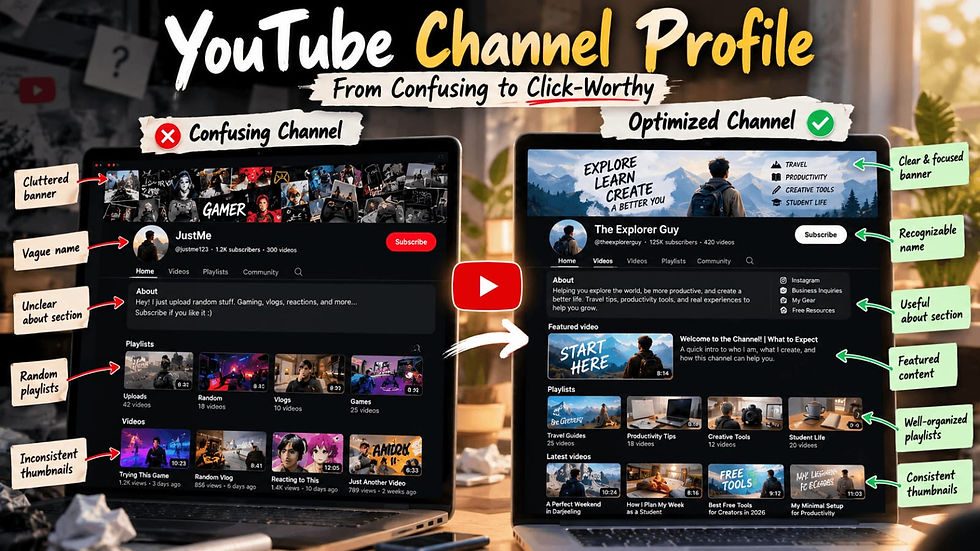
Stale Video Refresh is the remarketing half of a healthier channel. Channel Optimization looks after the public profile. Research Pain Points helps you choose what to film next from real audience questions. A clear channel profile still matters when someone lands from an older video. Together, they cover new ideas, the channel page, and the catalog you already published.
If a video is simply the wrong topic, refresh will not save it. If the topic is still right and the listing is tired, this is the tool.
Who this is for in 2026
Stale Video Refresh is for YouTube creators who already have a back catalog: weekly educators, product channels, local businesses, and anyone whose best videos are no longer the ones the algorithm is showing. It is especially useful when you have improved your on-camera craft but the old listings still use early titles and thumbnails.
Answer engines and search still quote YouTube listings. A current title and a readable description help people — and the systems that summarize the open web — understand what the video is actually about. That is as much a 2026 discovery issue as it is a click-through issue.
Common questions
Does this replace making new videos?
No. It remarkets videos you already published. New videos still come from Plan and Create. Refresh is for the catalog that is already live.
Will YouTube treat this as a new upload?
No. You are updating the listing on an existing video: metadata and thumbnail. The video ID and the published file stay the same.
Do I have to change both the text and the thumbnail?
No. You can apply reviewed text, a kept thumbnail, or both. The workbench only applies what you actually prepared.
Can I edit the suggested title before it goes live?
Yes. Every suggested field is editable. Apply changes uses the text you reviewed, not a locked suggestion.
The catalog is still an asset
Open Creator Studio, go to Remarket, and open Stale Video Refresh. Your published videos are already there. The ones worth a second look are usually obvious once the cards and the score are in front of you. For the bigger studio picture, start with YouTube Creator Studio in October 2026.


Comments