
How to Showcase Academic Projects as Work Experience on LinkedIn

In our previous guides, you learned how to optimize your LinkedIn profile, create a strong headline, and about writing an engaging About section. Now it's time to showcase another important part of your profile—your academic projects.
Many students and fresh graduates think they need professional work experience to impress recruiters. That's not true. Well-presented academic projects can demonstrate your skills, problem-solving ability, teamwork, and practical knowledge.
In this guide, you'll learn how to showcase academic projects as work experience on LinkedIn, write compelling project descriptions, avoid common mistakes, and discover free AI tools that can help you create a professional profile.
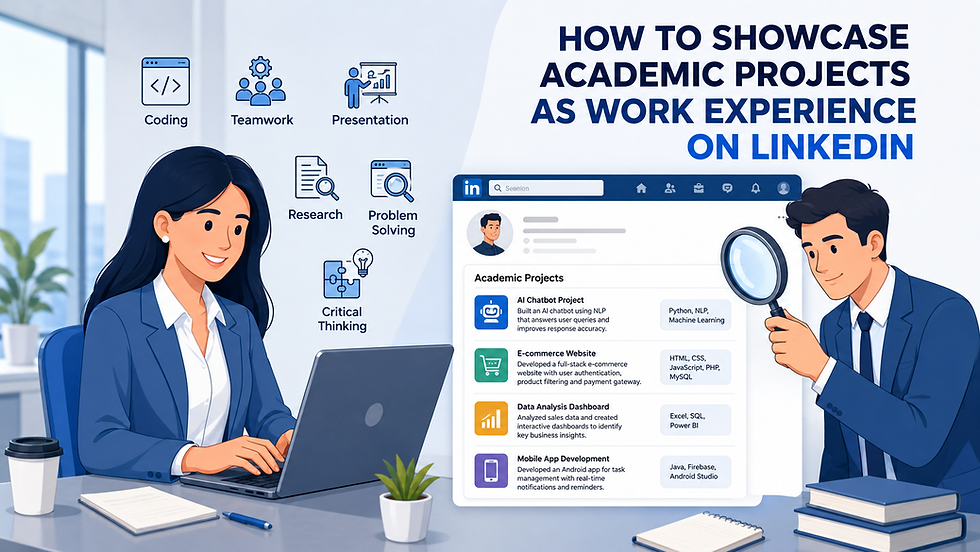
Table Of Content
What are Academic Projects on LinkedIn?
Academic projects are assignments, research work, or team projects you completed during your studies. They show how you've applied your knowledge to solve real-world problems, build practical skills, and gain hands-on experience.
Adding academic projects to your LinkedIn profile helps you highlight your achievements. Whether you've developed a website, built a mobile app, created a marketing campaign, research, or analyzed data, these projects can show your potential and make your profile more attractive to recruiters and hiring managers.

Why Academic Projects Matter Even Without Work Experience
Many students and recent graduates worry that they don't have enough professional experience to stand out on LinkedIn. However, academic projects can be just as valuable because they demonstrate how you've applied your knowledge in practical situations.
Academic projects also help fill the experience gap for students, career starters, and anyone transitioning into a new field. By showcasing relevant projects on LinkedIn, you give recruiters a better understanding of your capabilities and potential, even before you've gained full-time work experience.
What Recruiters Look for in Academic Projects
Recruiters don't expect every candidate to have years of work experience. Instead, they look for academic projects that demonstrate practical skills, initiative, and the ability to apply knowledge in real-world situations.
Here are some key things recruiters look for:
1. Relevant Skills
Highlight the technical and soft skills you used, such as programming, data analysis, research, communication, or project management.
2. Real Impact
Explain what problem your project solved, the solution you developed, and the results you achieved. Use measurable outcomes whenever possible.
3. Your Contribution
If it was a team project, clearly mention your role and responsibilities so recruiters understand your individual contribution.
4. Tools and Technologies
List the software, programming languages, frameworks, or platforms you used, such as Python, SQL, Power BI, Figma, React, or Excel.
5. Clear and Concise Description
Keep your project description easy to read. Focus on the objective, your role, the technologies used, and the outcome instead of writing long paragraphs.
A well-structured academic project helps recruiters quickly understand your abilities and shows that you're ready to apply your skills in a professional environment.
How to Showcase Academic Projects as Work Experience
A well-presented academic project can make a strong impression, especially if you don't have much professional experience. Instead of simply listing the project title, explain what you did, the skills you used, and the results you achieved.
1. Add a Clear Project Title
Choose a title that clearly describes your project, such as E-commerce Website Development, AI Chatbot, or Sales Data Analysis Dashboard.
2. Describe the Project Objective
Briefly explain what the project was about and the problem it was designed to solve.
3. Highlight Your Role
Mention your specific responsibilities, especially if it was a group project. This helps recruiters understand your contribution.
4. List the Skills and Technologies
Include the tools, programming languages, frameworks, or software you used, such as Python, SQL, Java, React, Figma, Power BI, or Excel.
5. Mention the Results
If possible, describe what the project achieved. For example, mention improved accuracy, better performance, successful testing, or positive feedback from faculty or users.
6. Add Supporting Links
Include links to your GitHub repository, portfolio, live demo, research paper, or presentation whenever possible. This allows recruiters to explore your work in more detail.

A Simple Formula to Write an Academic Project Description
Writing an academic project description doesn't have to be complicated. Use this simple formula to present your project in a way that's easy to understand and highlights your skills and contributions.
Project Title → Objective → Your Role → Skills & Technologies → Results → Supporting Links
Follow these six steps:
Add a Clear Project Title – Use a descriptive title that reflects what the project is about.
Describe the Project Objective – Explain the problem you solved or the goal of the project.
Highlight Your Role – Mention your responsibilities and contributions, especially in team projects.
List Skills and Technologies – Include the tools, programming languages, frameworks, and software you used.
Mention the Results – Share the outcome, achievements, or impact of your project.
Add Supporting Links – Include links to your GitHub repository, portfolio, live demo, or research paper.
Academic Project Examples for Different Fields
The best academic projects clearly explain what you built, your role, the skills you used, and the results you achieved. Here are a few examples from different fields.
1. Computer Science
Project: AI Chatbot for Customer Support
Description: Develop an AI chatbot using Python and Natural Language Processing (NLP) to answer customer queries automatically. Improved response accuracy and reduced manual support efforts.
Skills: Python, NLP, Machine Learning, Problem Solving
2. Data Science
Project: Sales Data Analysis Dashboard
Description: Built an interactive dashboard to analyze sales performance and identify business trends. Used data visualization to help users make informed decisions.
Skills: SQL, Excel, Power BI, Data Visualization
3. Software Engineering
Project: E-commerce Website Development
Description: Design and developed a full-stack e-commerce website with user authentication, product management, and secure payment integration.
Skills: HTML, CSS, JavaScript, React, Node.js, MongoDB
4. Marketing
Project: Social Media Marketing Campaign
Description: Create and executed a digital marketing campaign for a college event, increasing audience engagement through content planning and social media promotions.
Skills: Content Marketing, SEO, Social Media Marketing, Analytics
5. Business & Finance
Project: Market Research and Business Plan
Description: Conduct market research, competitor analysis, and financial planning to develop a business strategy for a startup idea.
Skills: Market Research, Business Analysis, Financial Planning, Presentation
These examples show how academic projects can demonstrate practical experience, technical skills, and problem-solving abilities. Customize your project descriptions to reflect your own contributions, achievements, and the value you created.

Common Mistakes to Avoid When Adding Academic Projects
Adding academic projects to LinkedIn can strengthen your profile, but only if they're presented effectively. Avoid these common mistakes to make a better impression on recruiters.
1. Using a Generic Project Title
Choose a clear and descriptive title instead of generic names like Final Year Project or College Assignment.
2. Writing Long Descriptions
Keep your project description concise and focus on the objective, your role, the technologies used, and the outcome.
3. Not Mentioning Your Contribution
If it was a team project, explain what you personally worked on instead of describing the team's work as a whole.
4. Ignoring Skills and Technologies
Always mention the tools, programming languages, frameworks, or software you used. This helps recruiters understand your technical expertise.
5. Forgetting to Add Supporting Links
Whenever possible, include links to your GitHub repository, portfolio, live demo, research paper, or presentation to showcase your work.
6. Not Updating Your Projects
As you complete new projects or improve existing ones, keep your LinkedIn profile updated with your latest work and achievements.
By avoiding these mistakes, you can present your academic projects more professionally and demonstrate your skills, experience, and potential to recruiters.

Free AI Tools to Improve Your Project Descriptions
Writing a clear and professional academic project description can be challenging, especially if you're unsure how to present your work. AI tools can help you improve clarity, grammar, structure, and readability while making your projects more appealing to recruiters.
Generate structured, keyword-rich project descriptions that clearly highlight your objective, role, skills, and results.
2. Grammarly
Check grammar, spelling, punctuation, and sentence clarity to make your project descriptions more professional.
4. QuillBot
Rewrite and simplify complex sentences while keeping the original meaning of your project description.
5. Chat GPT
Create professional visuals, project presentations, and portfolio graphics to showcase your academic work more effectively.
Final Thoughts
Academic projects are more than just college assignments—they're proof of your skills, problem-solving ability, and practical experience. Even without a full-time job or internship, well-presented projects can help you demonstrate your potential and make your LinkedIn profile stand out.
Focus on writing clear project descriptions, highlighting your contributions, showcasing the technologies you used, and adding supporting links whenever possible. Keep your projects updated as you gain new skills and complete more work.
A strong academic projects section can help recruiters better understand your abilities and increase your chances of landing internships, freelance opportunities, or your first job.
Continue Building Your LinkedIn Profile with Us
Ready to make your LinkedIn profile even stronger? Explore these guides:


Comments